
No other relay does this. Open the BlipSat app, pick your airport or area, and a precipitation map comes back over your ZOLEO or Garmin inReach's satellite link — you decide how much detail it's worth.
Get startedRadar detail scales with the number of satellite messages you spend. Ask for a quick overview or a fine-grained picture — your call, right in the app.
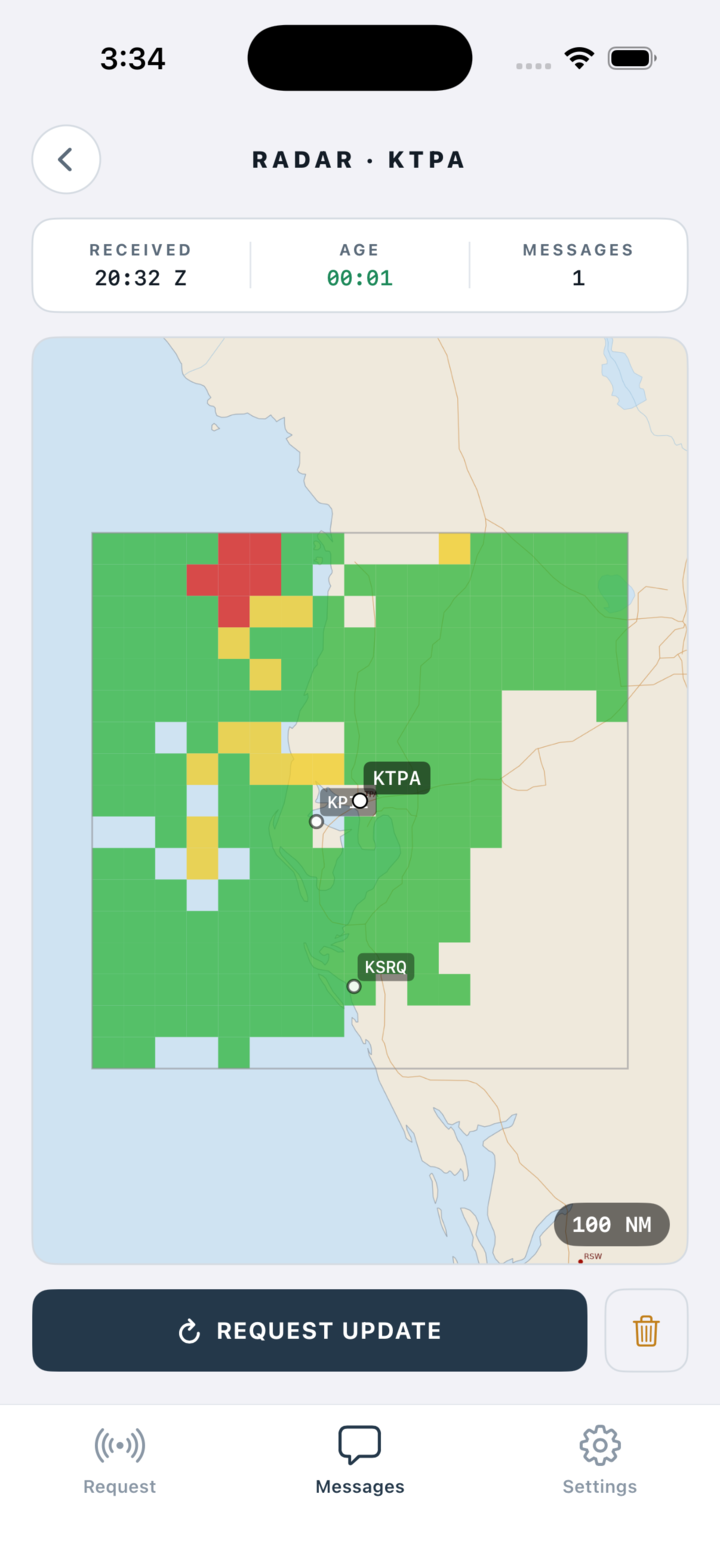
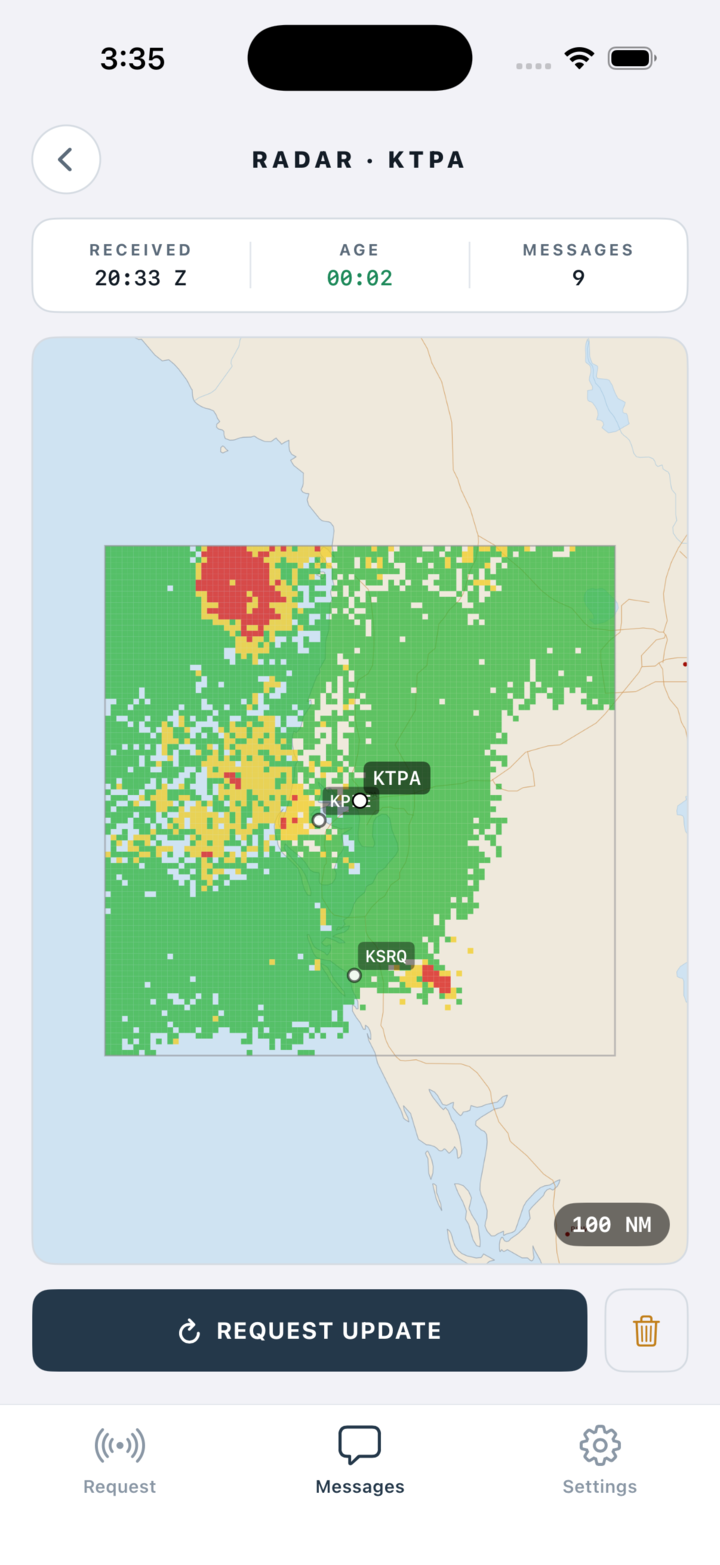
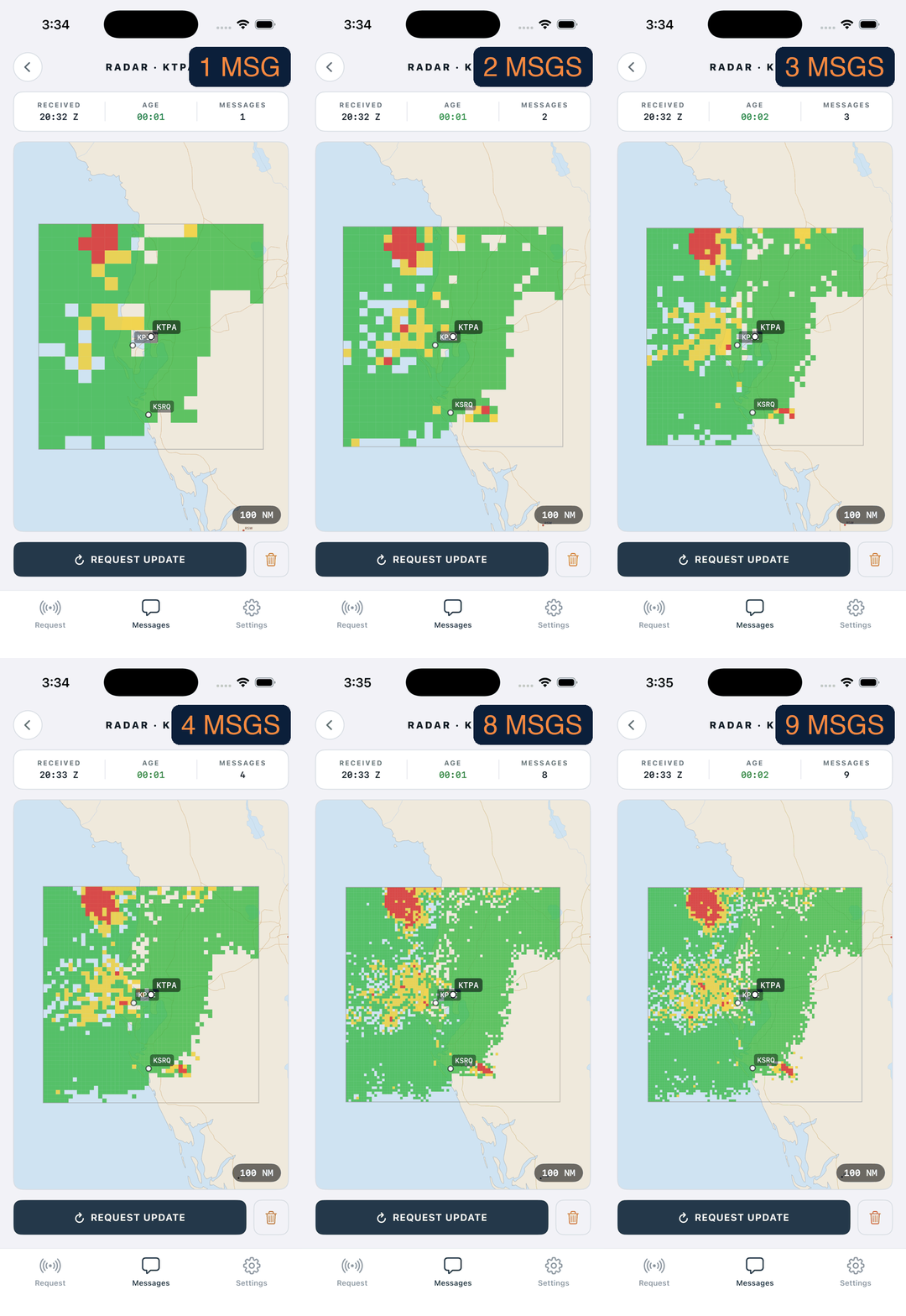
More messages, more resolution — the same storm, from a one-message glance to a nine-message picture.
In the BlipSat app, choose an airport to center on — or center on your current GPS position.
Choose how many messages of resolution you want. One buys a coarse overview; up to nine buys fine detail.
The app relays your request through your paired ZOLEO or Garmin inReach and renders the map on your phone — no cell signal required.
Weather relays over satellite text usually stop at a METAR. BlipSat pairs the app on your phone with your ZOLEO or Garmin inReach to turn it into a radar display — coverage across the continental US precipitation network — so you can see the storm, not just read about it. And because you set the detail, you never spend a message on resolution you don't need.