FLEET · LONE AND REMOTE WORKERS

Every worker accounted for, past the last cell tower.

BlipSat Fleet gives people who work alone a way to check in, flag a hazard and call for help from the satellite messenger already on their belt. The office sees the whole crew on one map, and so does every worker in the field.
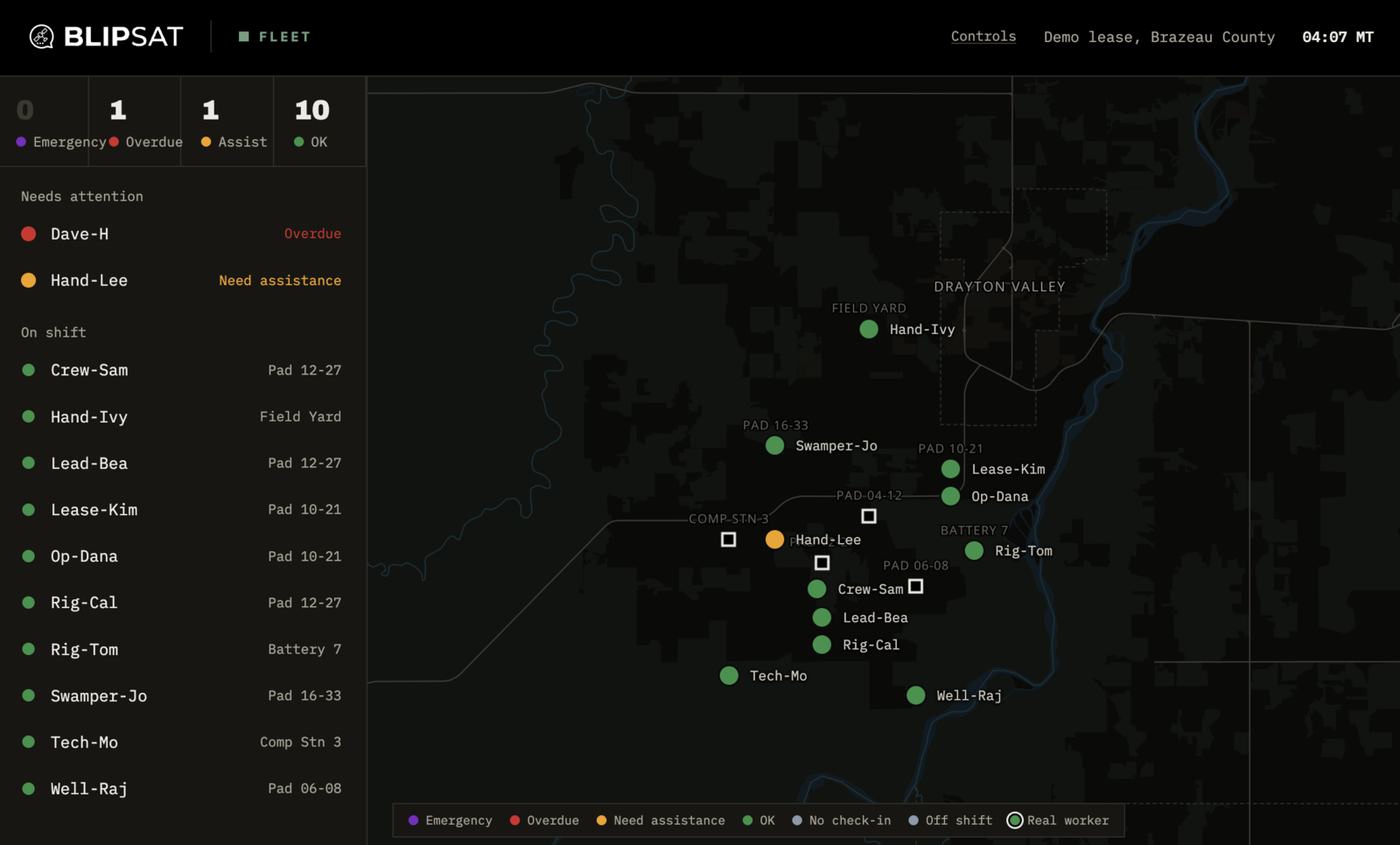
BlipSat Fleet web map: a demo crew of twelve on an Alberta lease, with one overdue and one needing assistance listed first
THE FLEET MAP · DEMO CREW
01 · THE OFFICE

Who needs attention, at the top.

Anyone in an emergency, overdue for a check-in or asking for help is listed first. Everyone else on shift follows, with the pad or site they last reported from. One glance tells a supervisor whether the day is going to plan.
STATUS
Four colours
Emergency, overdue, need assistance and OK, the same on the web map, the phone and the legend.
TIMERS
Overdue on its own
Each check-in sets the next one. Miss it and the worker turns overdue without anyone having to notice.
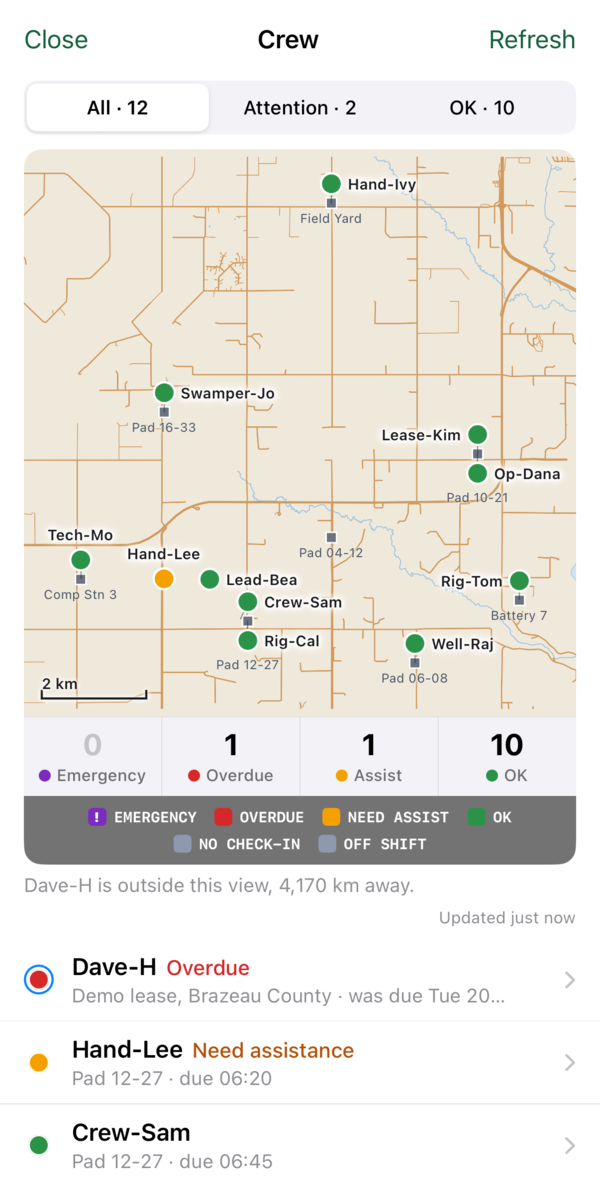
The crew map on iPhone: twelve workers on a road map with counts for emergency, overdue, assist and OK
02 · IN THE FIELD

Know where your crew is.

The reply to every check-in is the crew map itself, delivered by satellite and drawn on the phone without a cell signal. A worker can see who is on the next pad, who is overdue and who has asked for help — so the nearest person can go.

Need the map without checking in? Ask for it on its own, any time.

From the lease to the office.

01 · CHECK IN
Five quick answers: condition, what they're doing, any hazard, when to expect the next check-in, and whether they're with the vehicle.
02 · SEND
Over Iridium or Globalstar from a ZOLEO, Garmin inReach, SPOT X or Bivy, with the worker's position attached.
03 · SEE
The crew map comes back to the worker's phone. The same crew is live on the web map at the office.
04 · ESCALATE
An emergency, a call for help or a missed check-in moves that worker to the top of every view.

Built for work beyond coverage.

Oil and gas leases, pipelines, utilities, forestry, survey and research crews: anywhere one person works out of sight and out of cell range. No new hardware: Fleet runs on the satellite messengers your crews already carry.

01 · HELP
Emergency in one answer
Emergency and need assistance are the first question on every check-in, not a separate menu.
02 · HAZARDS
Report what's out there
H2S or gas, wildlife, weather or road conditions, tagged to where the worker is standing.
03 · SHIFTS
Start to end of shift
Check-ins mark the start and end of a shift, so off-shift workers drop out of the overdue count.
04 · DEVICES
What you already issue
ZOLEO, Garmin inReach, SPOT X and Bivy. The check-in is a short text, so it fits any of them.
RUN A PILOT

Try Fleet with your crew.

Fleet is in pilot with field teams now. Tell us about your crew, where they work and which devices they carry, and we'll set up a demo on your ground — your sites, your check-in questions, your map area.